
Clear the browsing data (cache)
This article explains how to clear the browsing data.
You can delete your browsing history and other browsing data, like saved form entries, or just delete data from a specific date.
Here are the instructions for the computer version of the following browsers: :
Google Chrome

Click on this link for more info
Mozilla Firefox
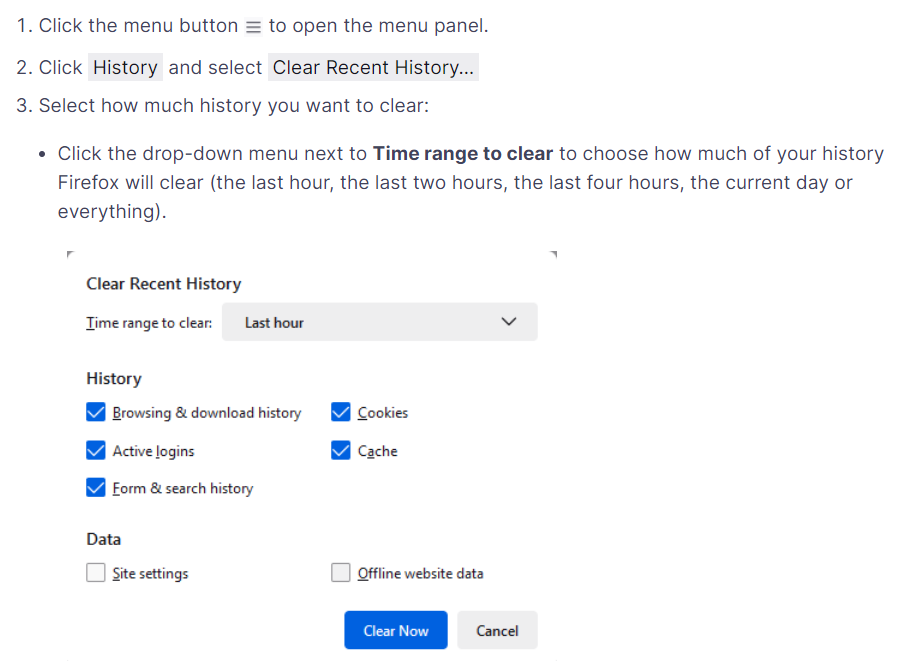
Click on this link for more info
Safari
In the Safari app

Choose History > Clear History, then click the pop-up menu. Choose how far back you want your browsing history cleared.
Click on this link for more info
Edge

Click on this link for more info