
Delete cookies
This article explains how to clear your browser's cookies
Cookies are files created by websites you visit. By saving information about your visit, they make your online experience easier. For example, sites can keep you signed in, remember your site preferences, and give you locally relevant content. If you delete cookies, you might get signed out of sites that remember you, and your saved preferences could be deleted.
Here are the instructions on how to delete all cookies from the computer version of the following browsers :
Google Chrome
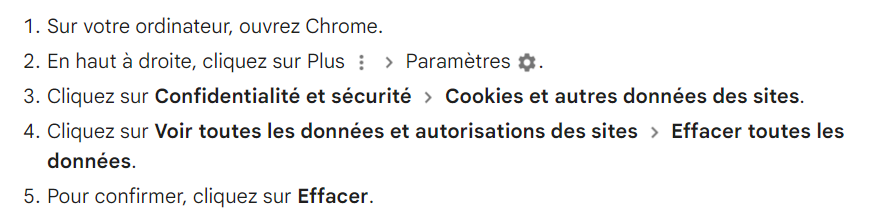
Click on this link for more info
Mozilla Firefox
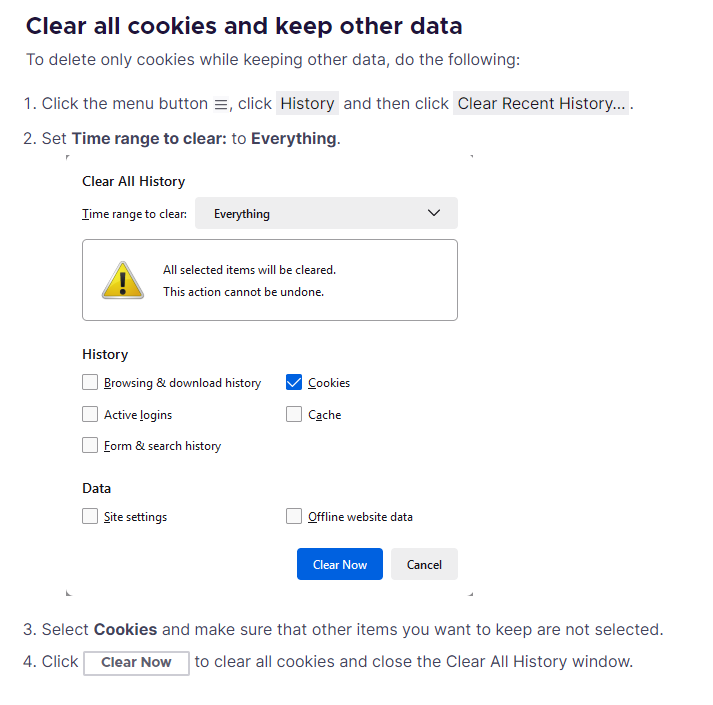
Click on this link for more info
Safari
In the Safari app

- Choose Safari > Settings, then click Privacy.
- Click Manage Website Data
- Select one or more websites, then click Remove or Remove All
Click on this link for more info
Edge
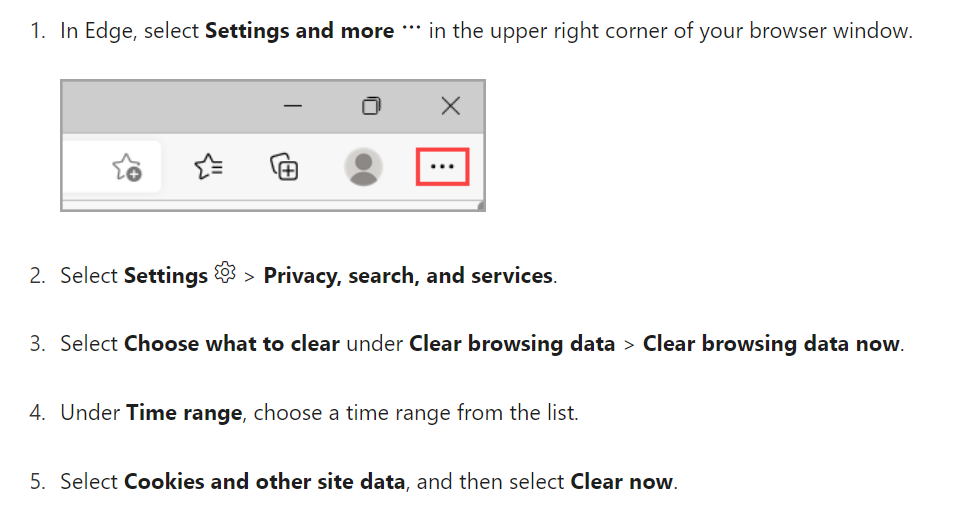
Click on this link for more info